
Trust
Security and privacy
Probistica runs on your computer and keeps your models there. This page gives the short facts. The privacy notice and the IT pages give the details.
No workbook data leaves your computer
Probistica sends no workbook data, no results, and no telemetry. It has no analytics and no update check.
A local license check
The license check runs on your computer. Daily use needs no internet connection. A Corporate site license needs no connection, and IT policies can turn off all requests.
Few, named connections
Probistica sends nothing automatically by default. The trial and standard builds have no activation service address. Exception: if your IT department sets the Windows policy ActivationUrl, Probistica can check that address once a day at Excel load during the last 30 days of a license (so from day one of a 15-day trial), sending the current license file for unbound licenses (including trial site licenses) or the binding ID for machine-bound and user-bound licenses; the policy DisableRefresh stops those requests. Otherwise, the add-in sends one HTTPS POST to https://probistica.com/api/error-report only when you click Send report in an error or support report window (inspectable with View report; removable with DisableErrorReportSend). Planned: paid Individual licenses will connect only to activate, deactivate, and refresh near expiry.
No administrator rights
The setup installs for one Windows user. It installs no service, no driver, and no scheduled task.
Your workbooks stay yours
Probistica never changes or deletes workbook content because of the license status. Without a license, workbooks still open and keep their values.
Open about limits
Check manifest.txt in the release package for exact file hashes and signature status. The first signed release ships after code signing and final acceptance testing.
User-approved error and support reports
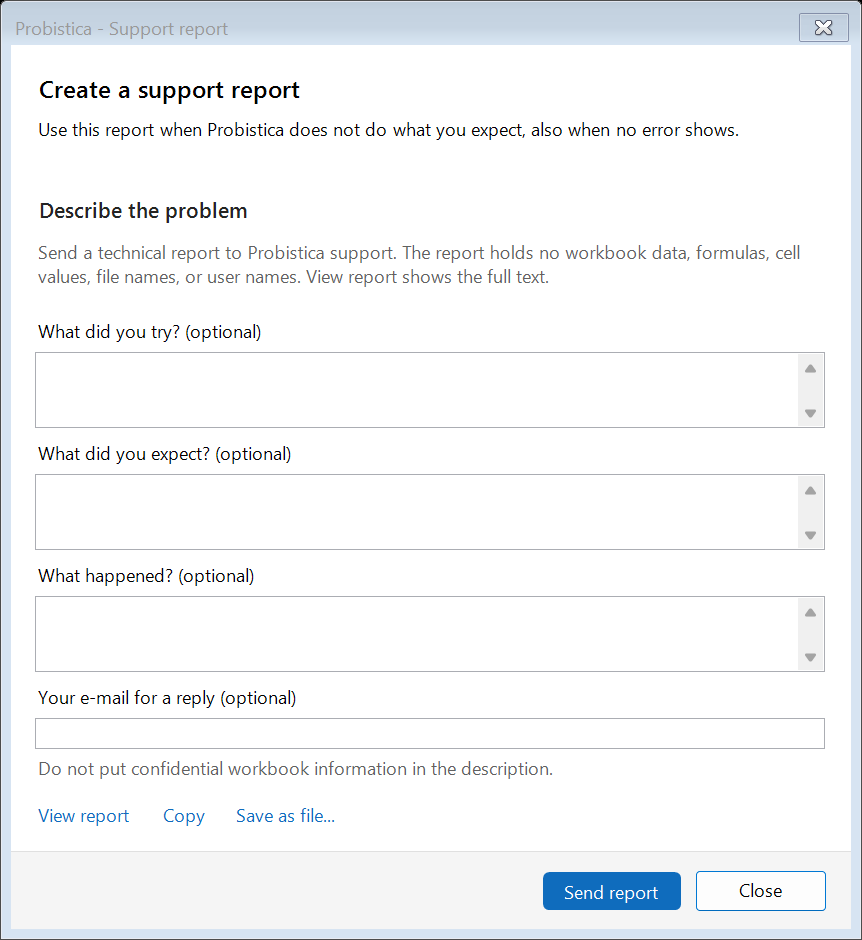
When a command fails, or when you click Help > Support > Create Support Report, Probistica opens a report window. Nothing leaves your computer unless you click Send report for that single report.
View report shows every line that will be sent: versions, run settings, error details, recent command names, and any comment or reply e-mail you type—never workbook data, formulas, cell values, file names, or user names. A Cloudflare Worker validates the report and forwards it by e-mail to support@probistica.com without logging the body or IP address. IT can disable sending with the Windows policy DisableErrorReportSend (DWORD 1).
What an online activation sends (planned)
- The activation ID from your purchase e-mail.
- A hash of the machine ID and a hash of the Windows user ID. A hash does not show the original value.
- The computer name. Clear the box in the License window to send no name.
- The product name and version, and a random request number.
Deactivating a seat (planned) sends only the license ID, the binding ID (if bound), the activation ID, the product name, and a random request number.
The privacy notice lists each value that Probistica reads, keeps, and sends, and how we handle e-mails and error reports.
Report a security problem
Write to support@probistica.com. We reply within 2 business days (Pacific time).
Security questionnaires
The For IT page has the common answers. For short factual questions not answered there, write to support@probistica.com (under standard pricing we do not complete custom security questionnaires; see For companies).