Product

Screenshot tour

These images come from the current release candidate of Probistica (version 0.3.0). The add-in made them itself from a hidden Excel. Click an image to see it at full size.

Build the model
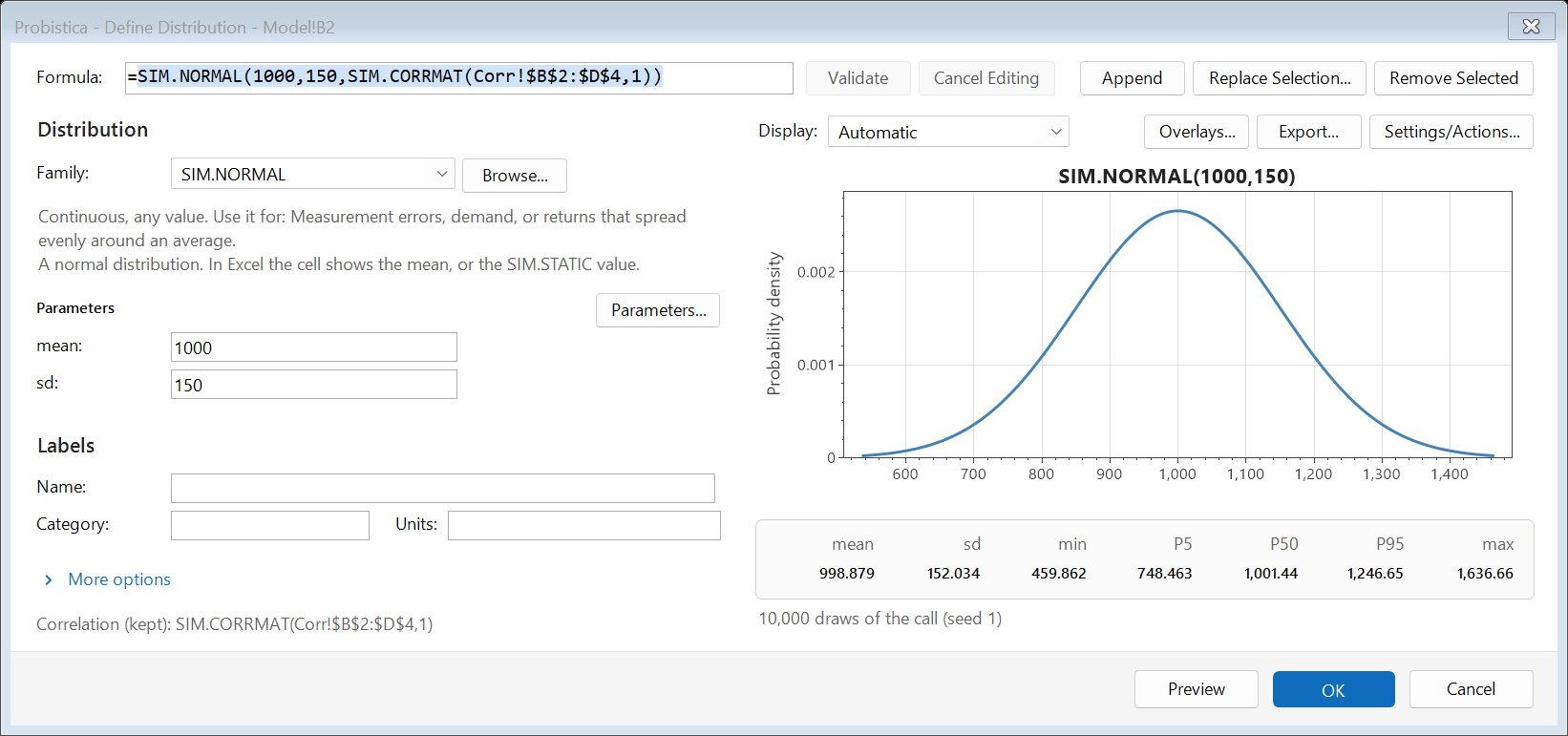
The Define Distribution window with a normal distribution, its parameters, a density curve, and statistics.
Define Distribution: choose a family, type the parameters, and see the curve.
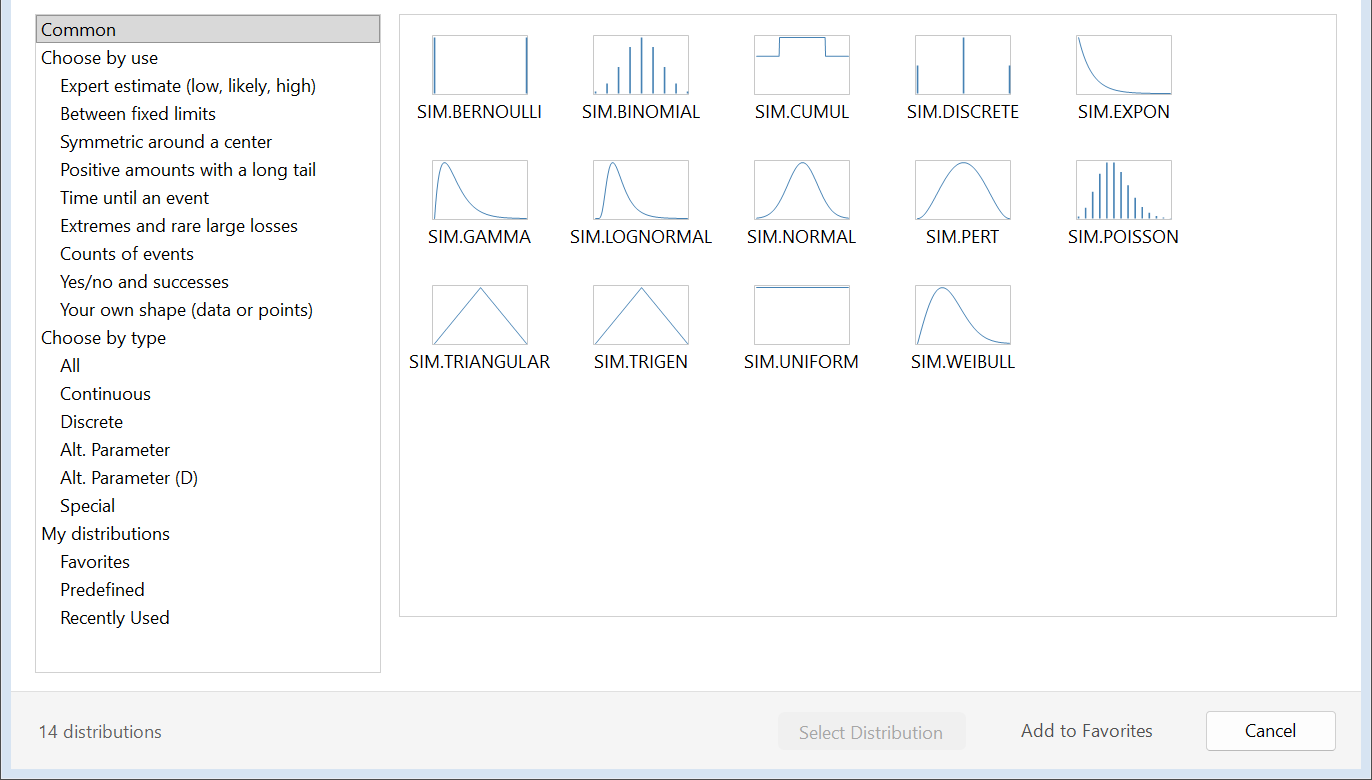
The Select Distribution window. A tree on the left sorts families by use, such as expert estimate or time until an event, and a grid shows small curves of 14 common distributions.
Select Distribution: find a family by its use or by its type.
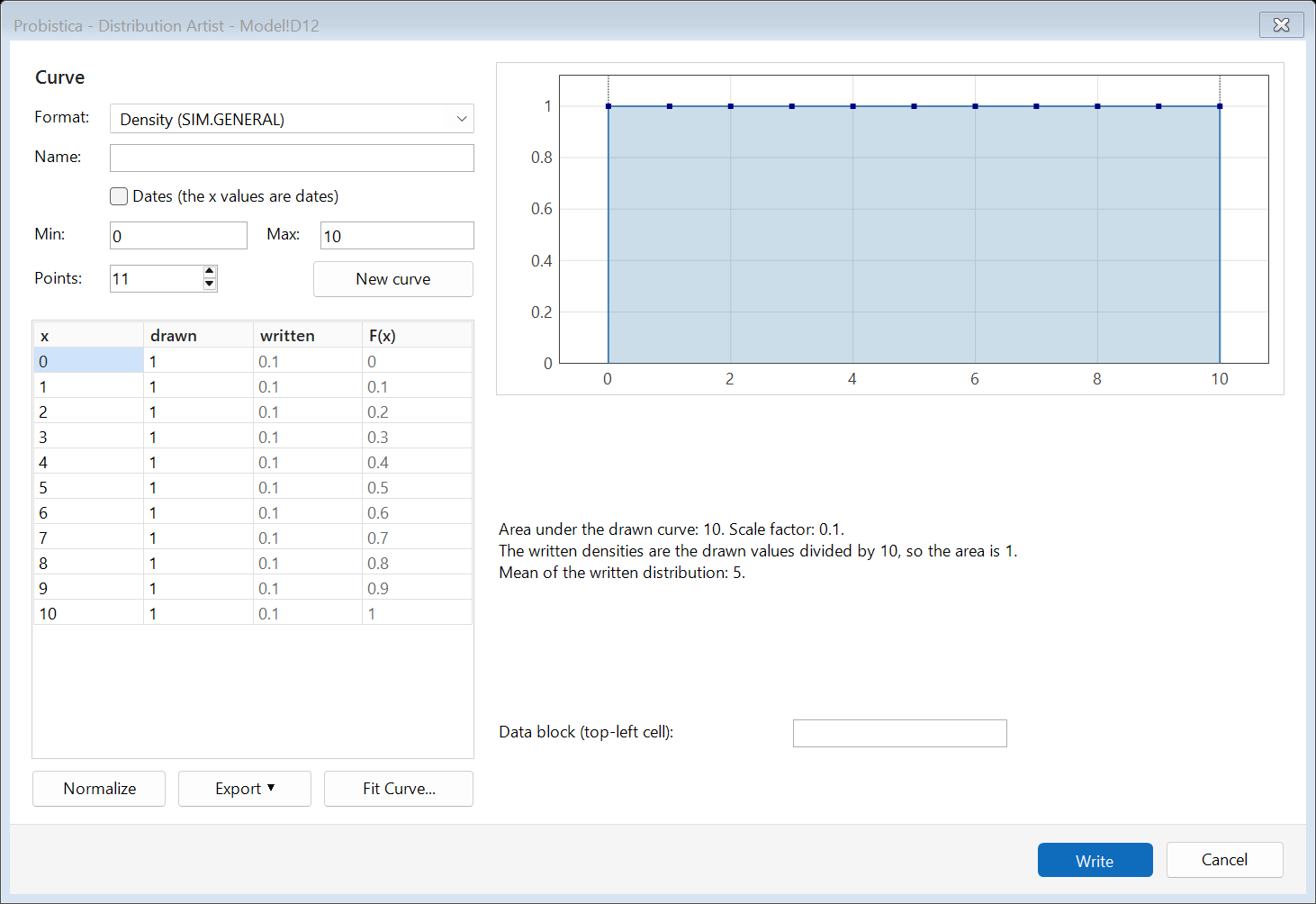
The Distribution Artist window with a table of 11 points and the drawn density curve from 0 to 10.
Distribution Artist: draw a curve and write it as a distribution.
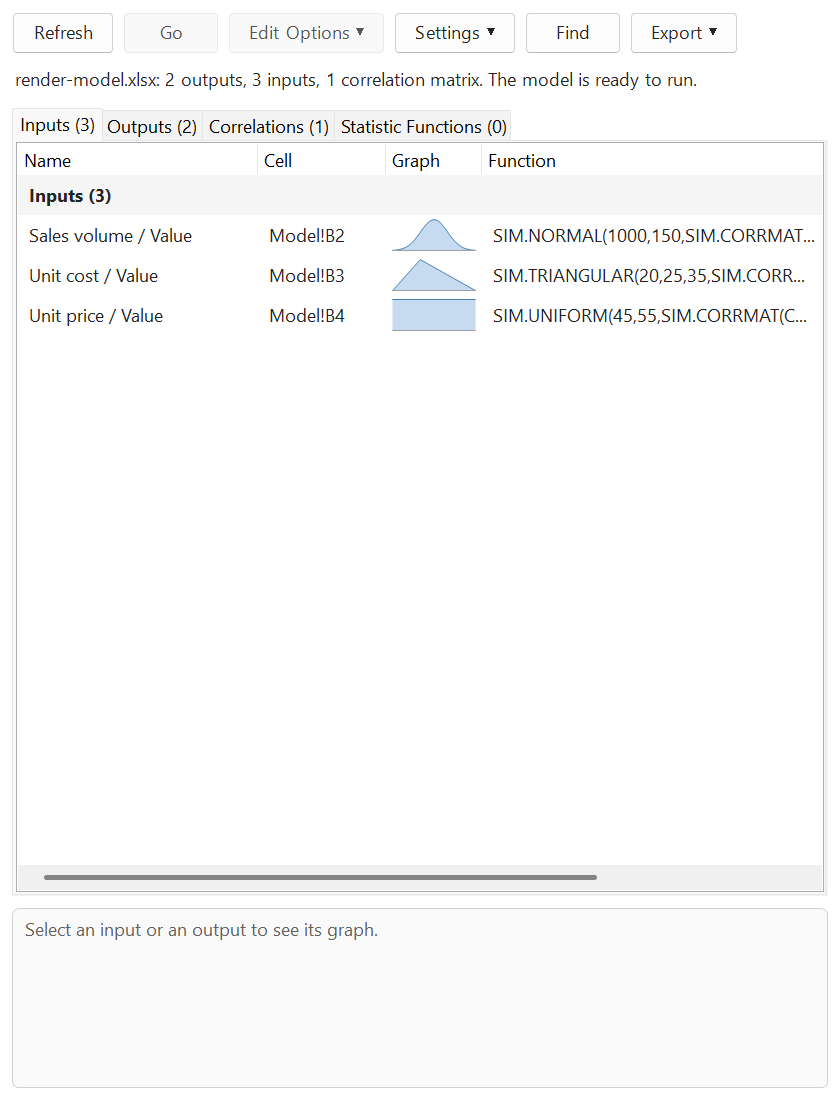
The Model window with three inputs: sales volume, unit cost, and unit price, each with a small graph and its function.
The Model window lists the inputs, outputs, correlations, and statistic functions.
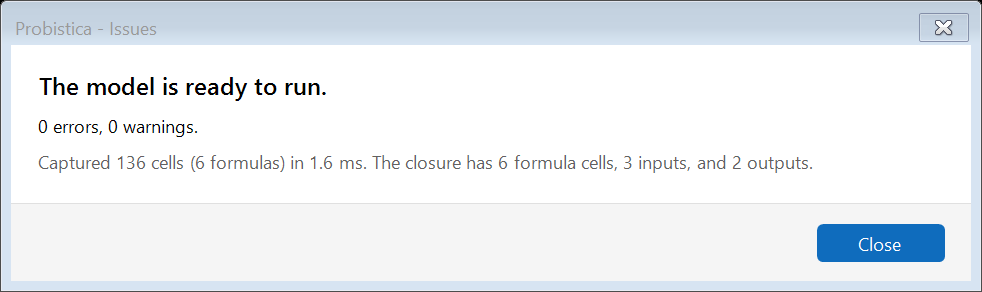
The Issues window. It says that the model is ready to run, with 0 errors and 0 warnings.
Issues checks the model before a run.
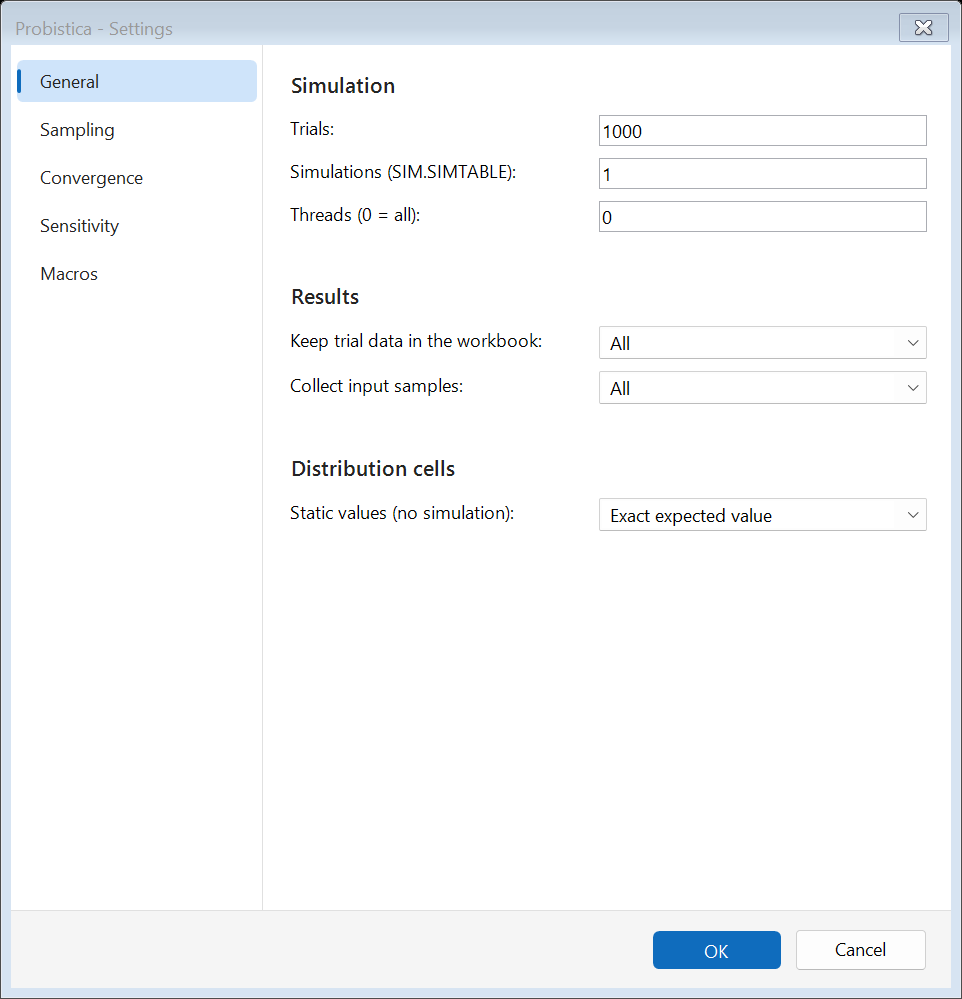
The Settings window, General page, with trials, simulations, threads, and result options.
Settings: trials, sampling, convergence, sensitivity, and macros.

Fit to data

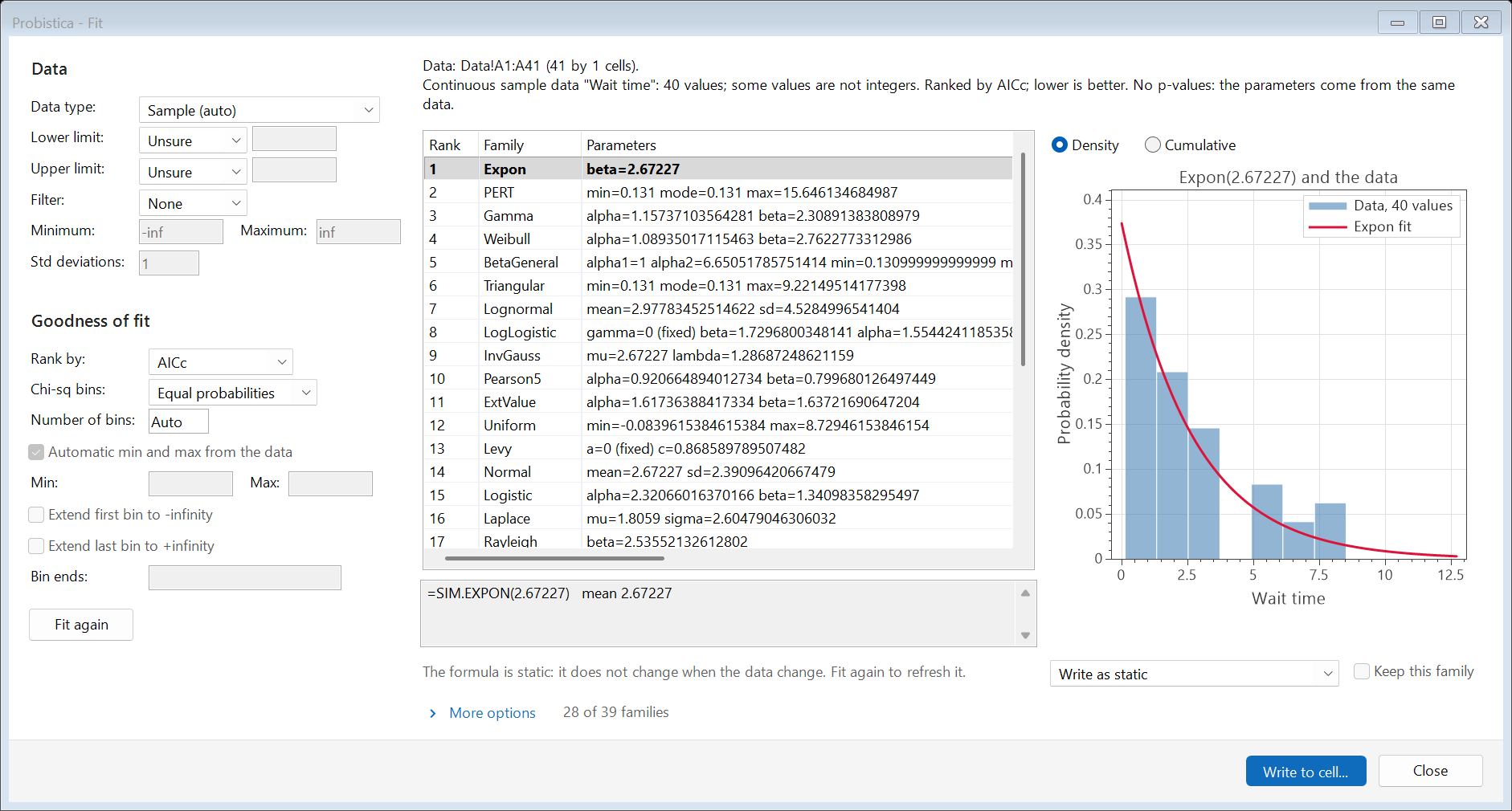
The Fit window. A table ranks distribution families by AICc and a chart shows the best fit over the data.
Fit ranks the candidate families.
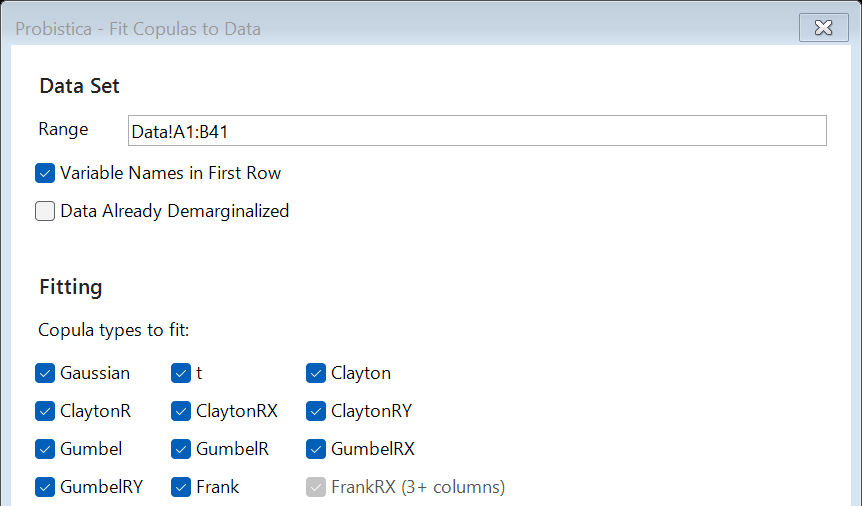
The top part of the Fit Copulas to Data window with the data range and the copula types to fit.
Fit Copulas to Data (top part of the window).
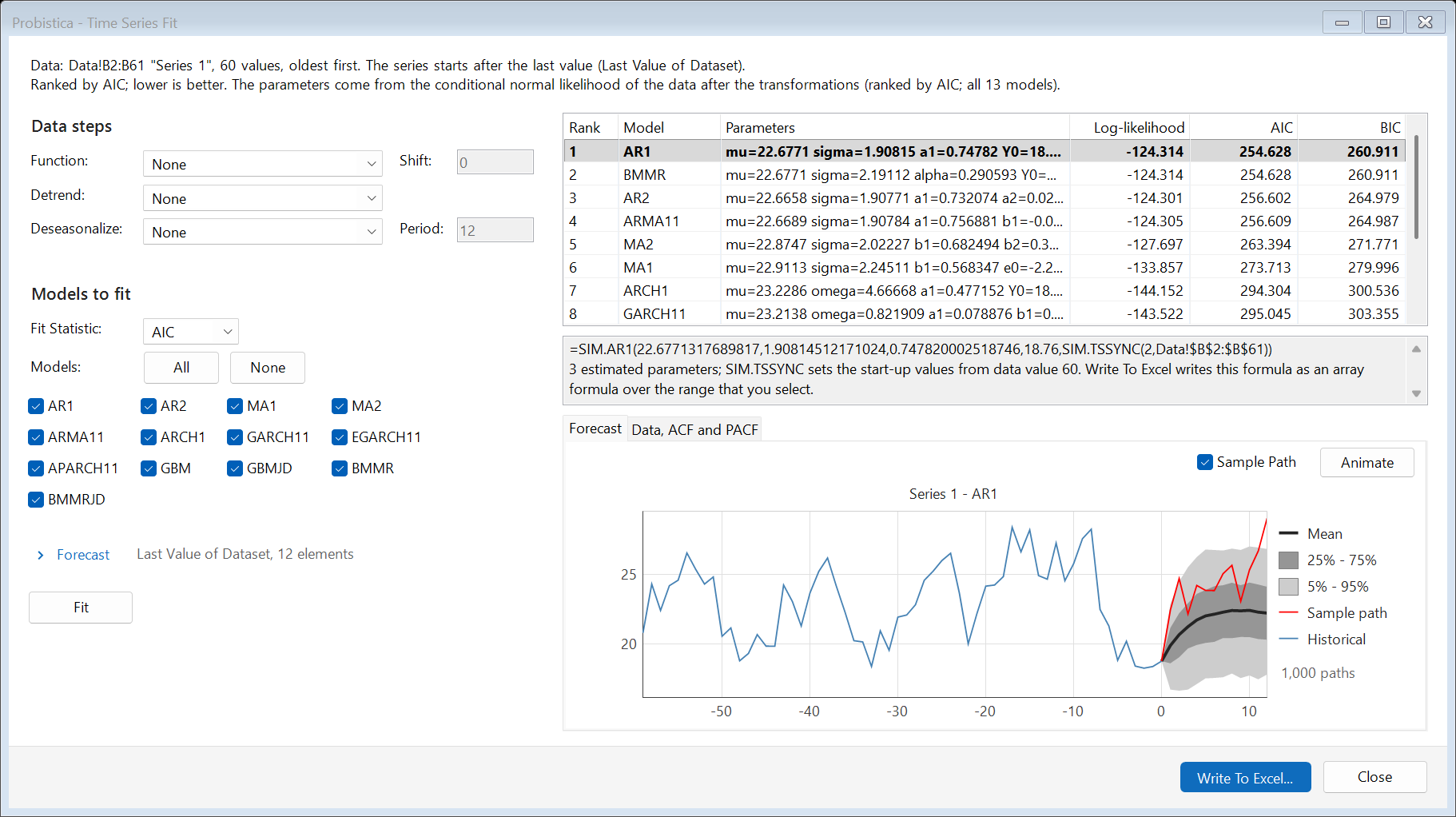
The Time Series Fit window. A table ranks 13 models by AIC, and a chart shows the history and a forecast fan with percentile bands.
Time Series Fit ranks the models and shows the forecast.

Read the results

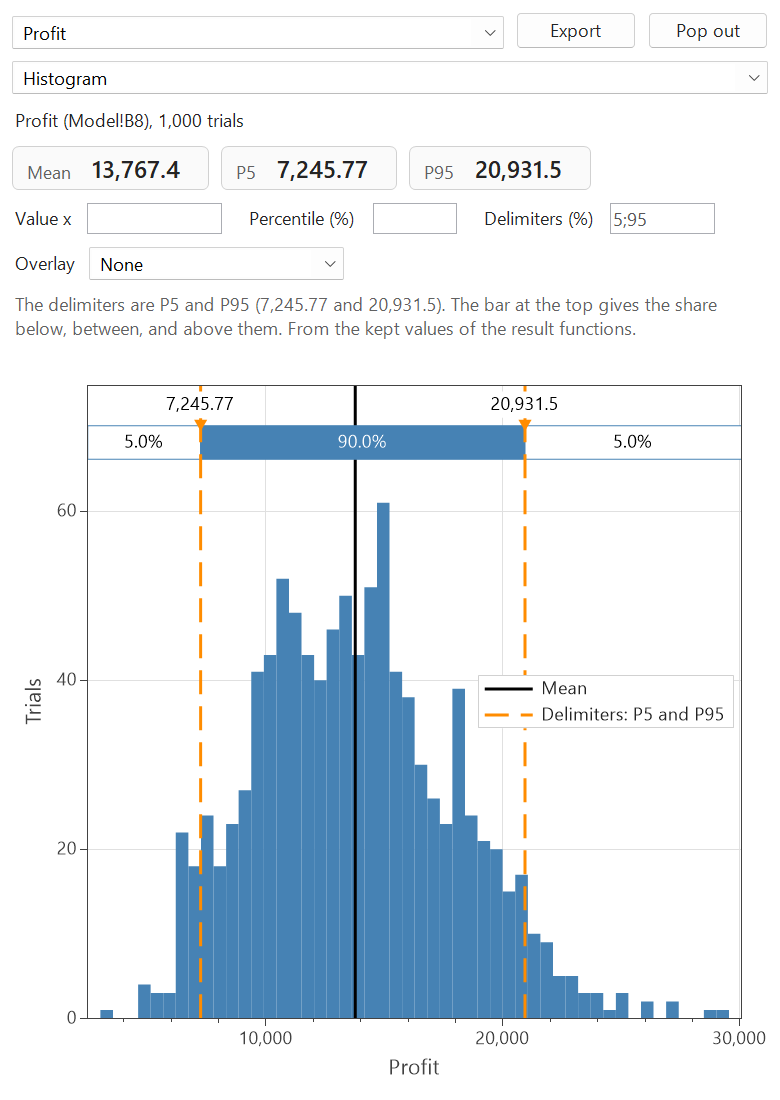
A histogram of Profit with P5 and P95 delimiters.
Histogram with delimiters.
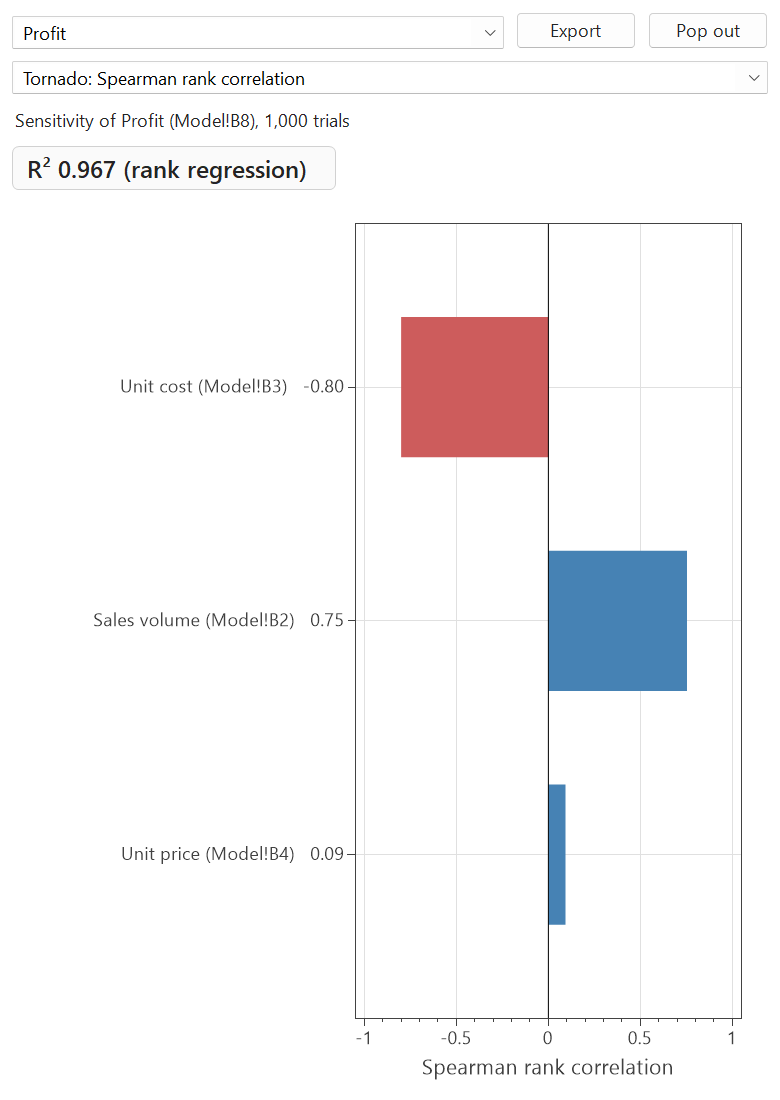
A tornado chart of Profit with three inputs.
Tornado chart.
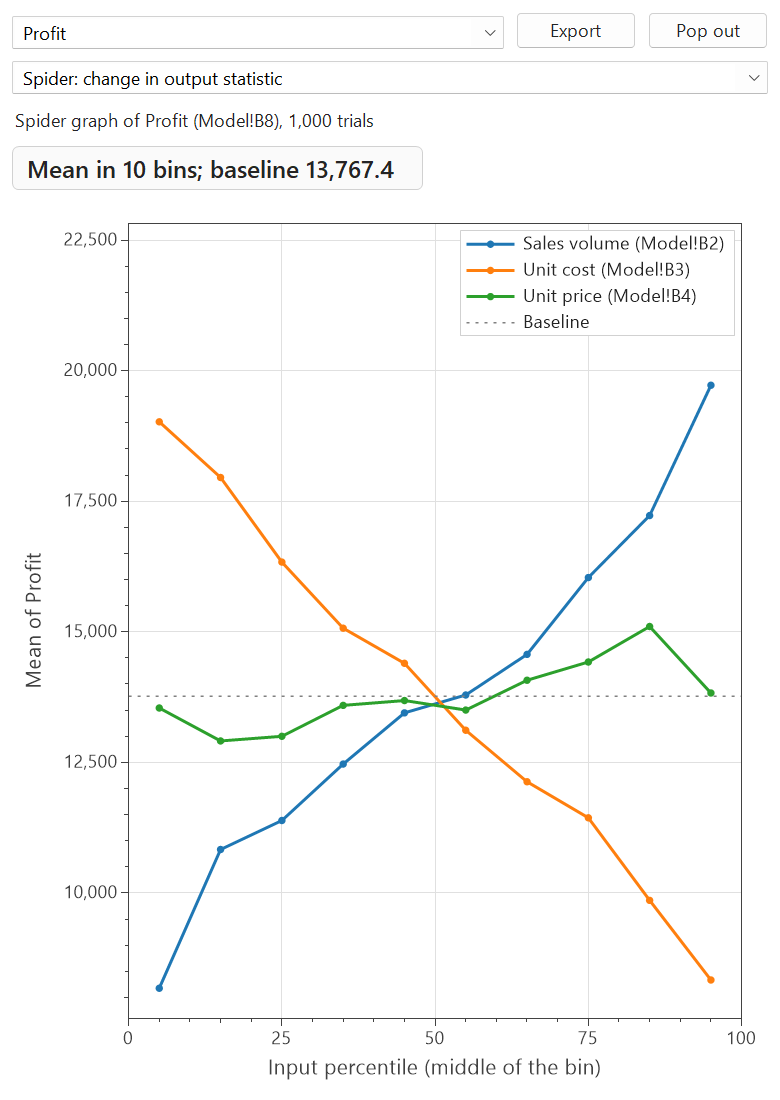
A spider chart: the mean of Profit for each input percentile bin of three inputs.
Spider chart.
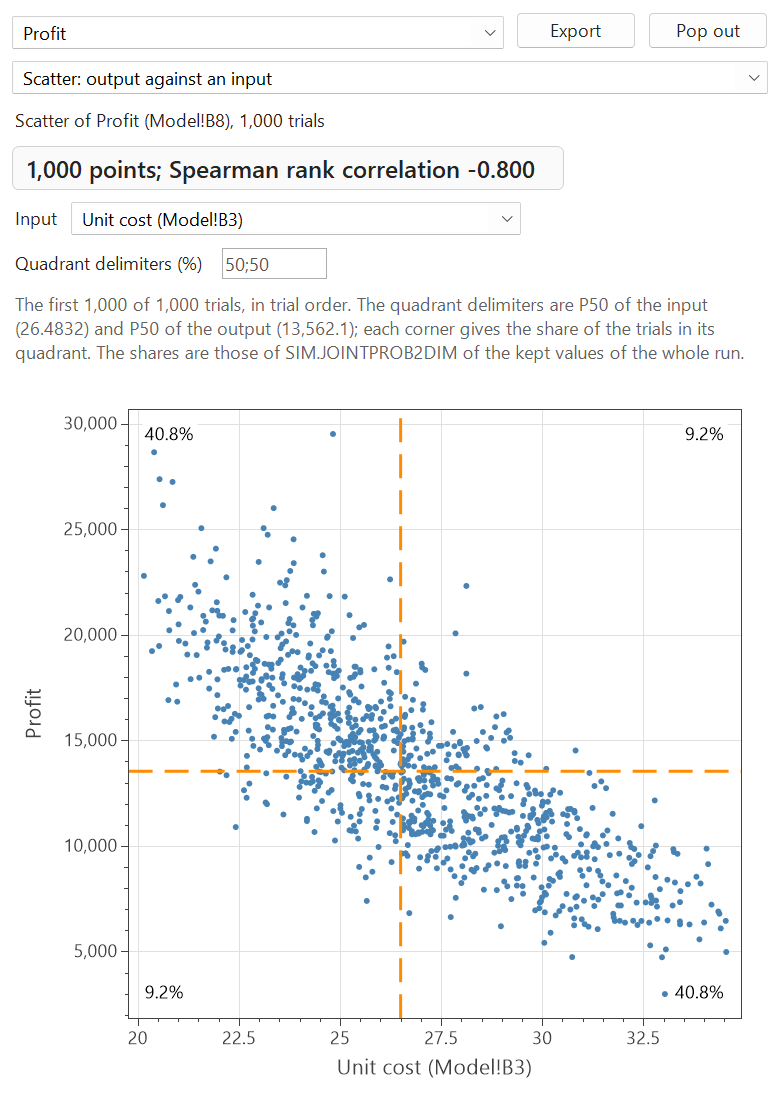
A scatter plot of Profit against unit cost for 1,000 trials, with quadrant shares.
Scatter plot with quadrants.
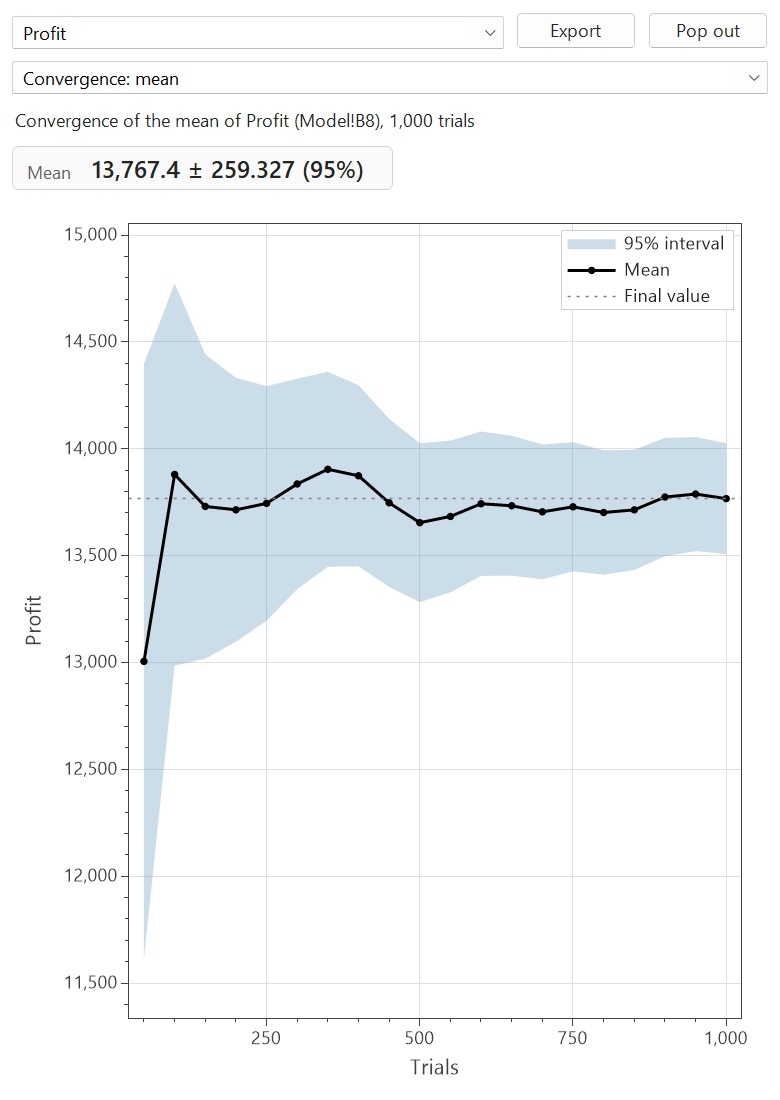
A convergence chart of the mean of Profit with a 95 percent interval band.
Convergence of the mean.

Test decisions

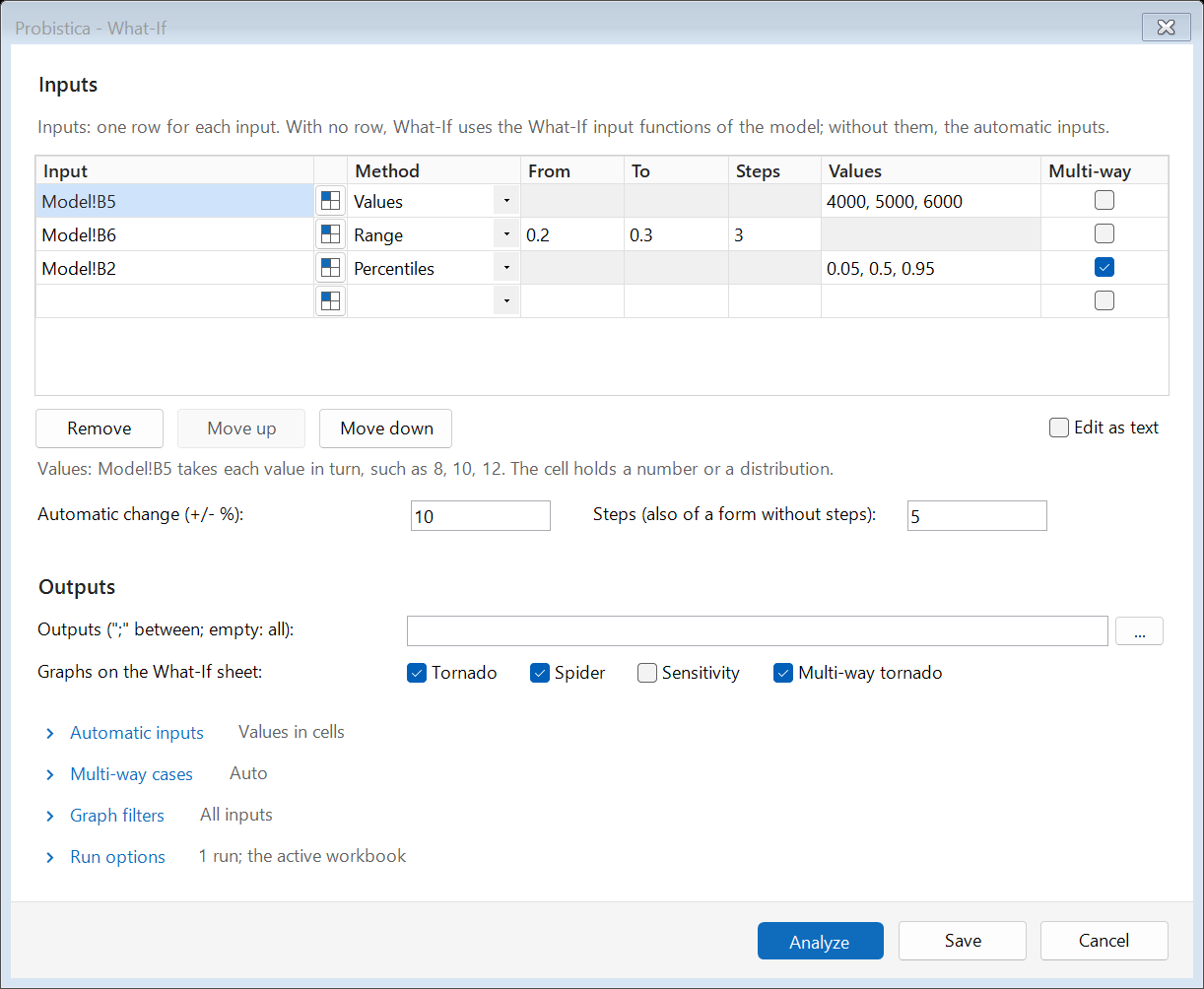
The What-If window with three inputs, each with a method and values, and graph options.
What-If analysis.
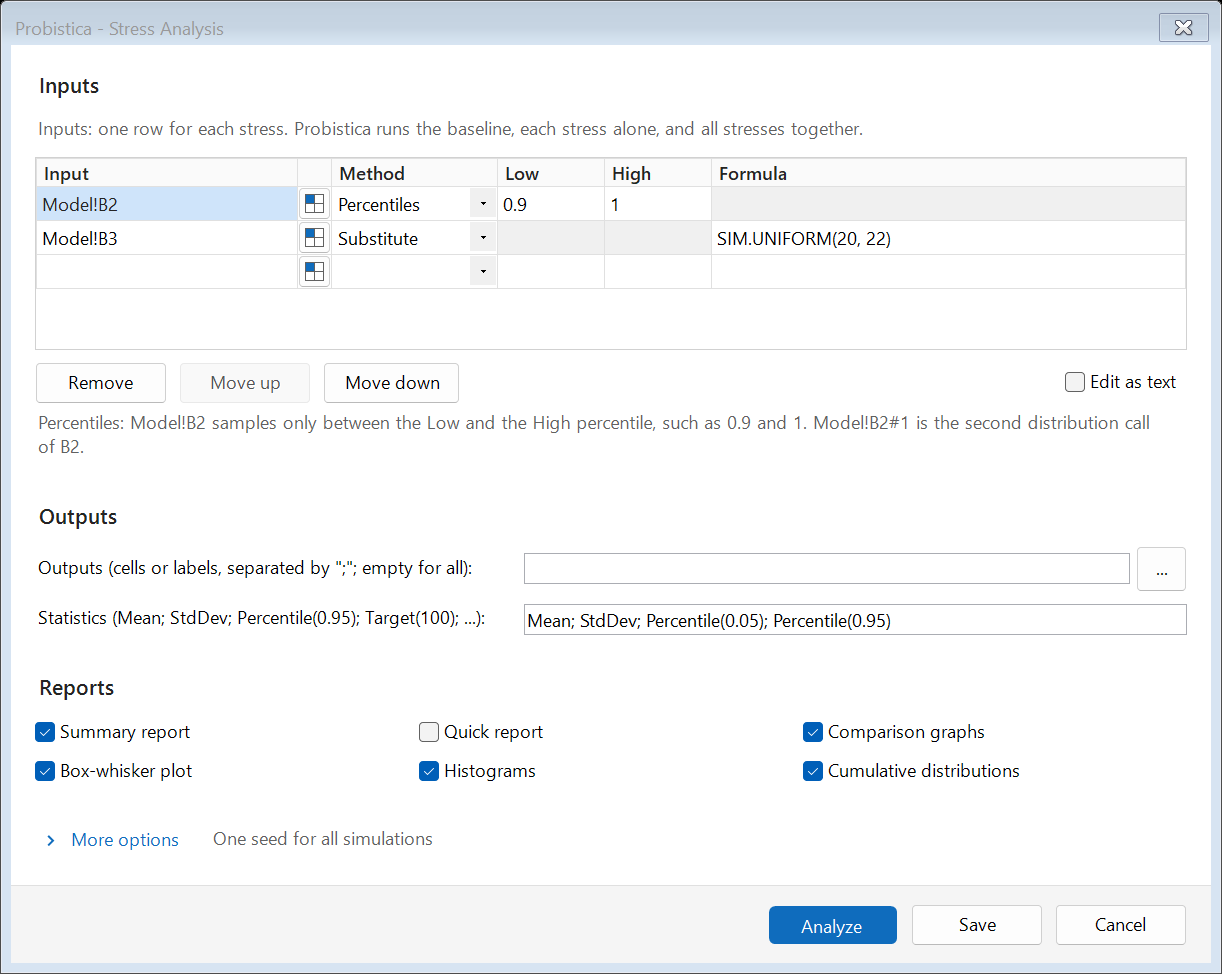
The Stress Analysis window with two stresses and report options.
Stress analysis.
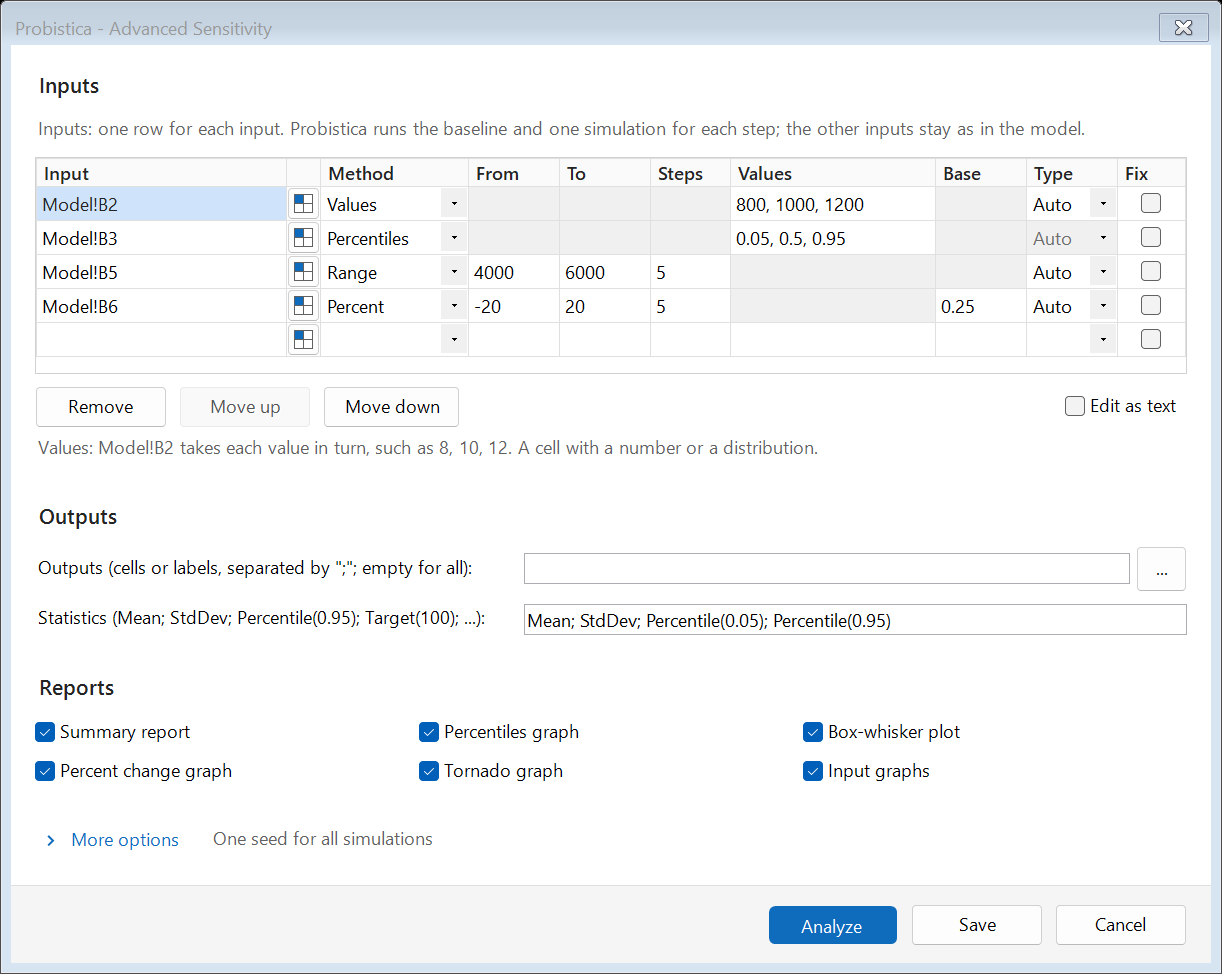
The Advanced Sensitivity window with four inputs and their steps.
Advanced sensitivity.
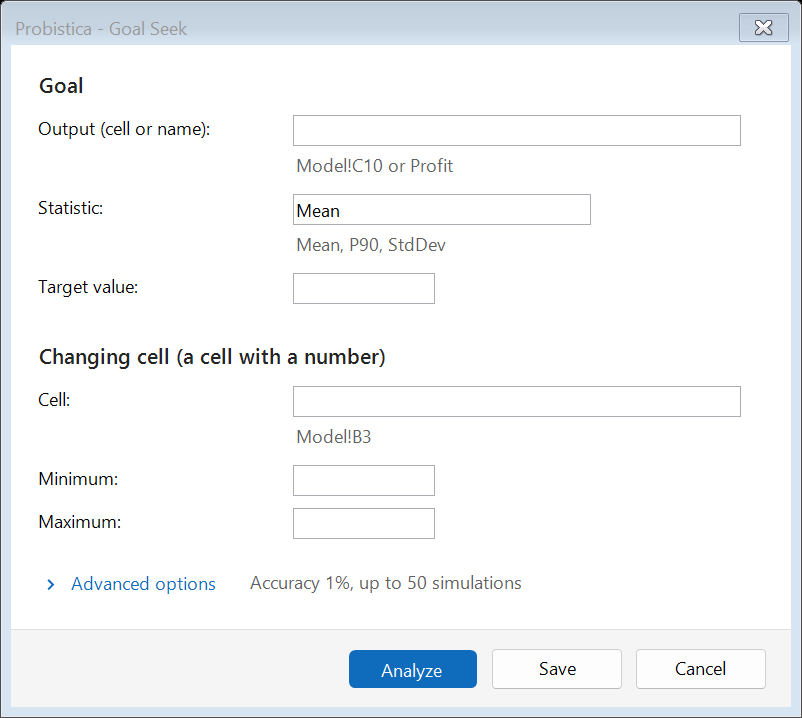
The Goal Seek window with the output, the statistic, the target value, and the changing cell.
Goal Seek on a statistic.
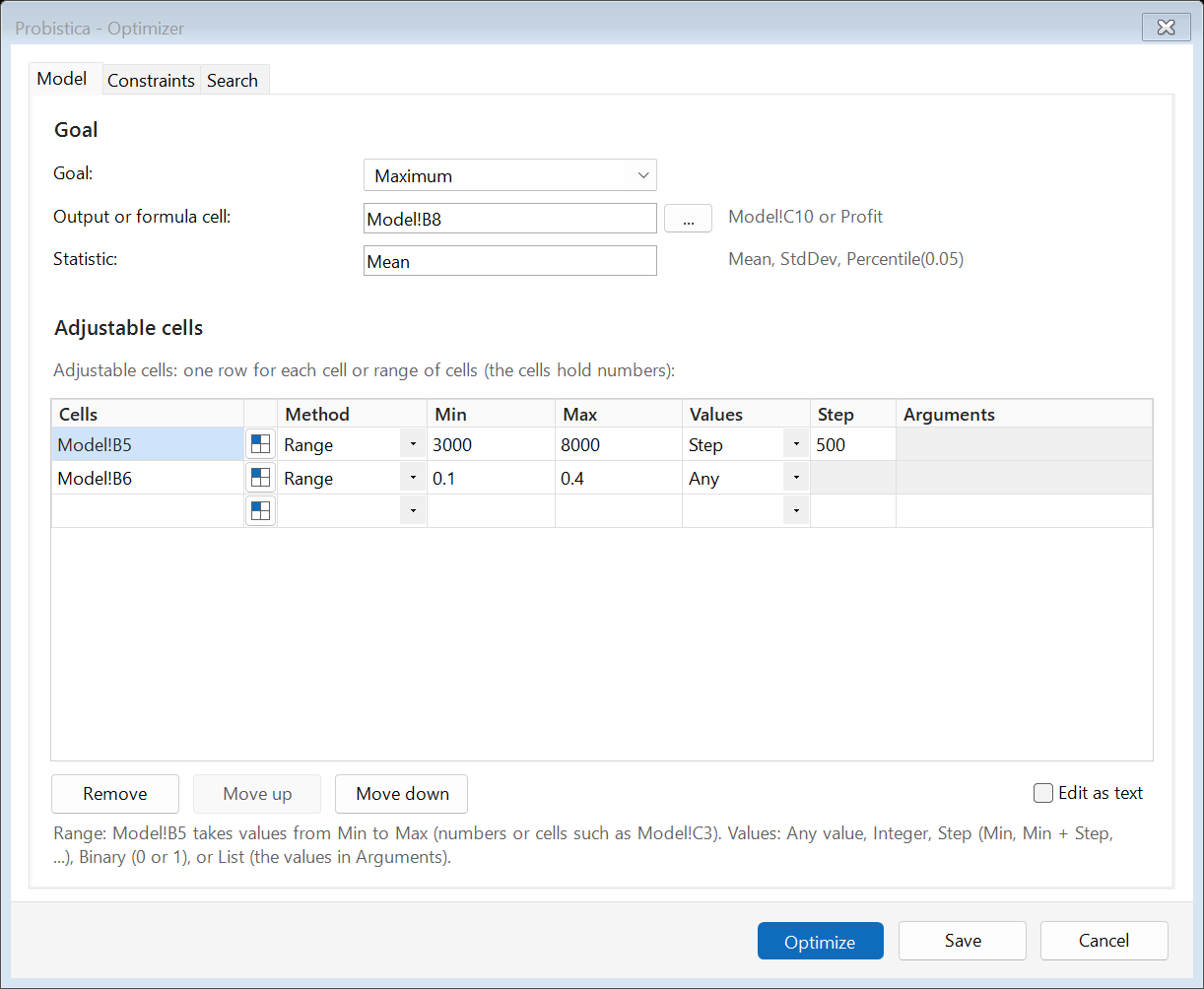
The Optimizer window, Model tab, with the goal to maximize the mean of Profit and two adjustable cells.
The Optimizer.

Report and share

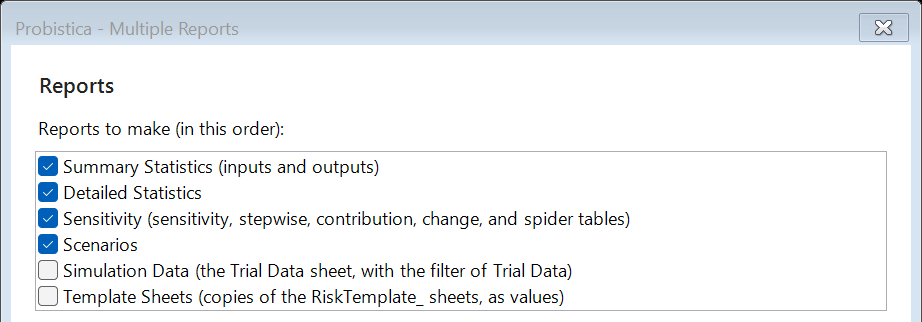
The top part of the Multiple Reports window with the list of reports to make.
Multiple Reports (top part of the window).
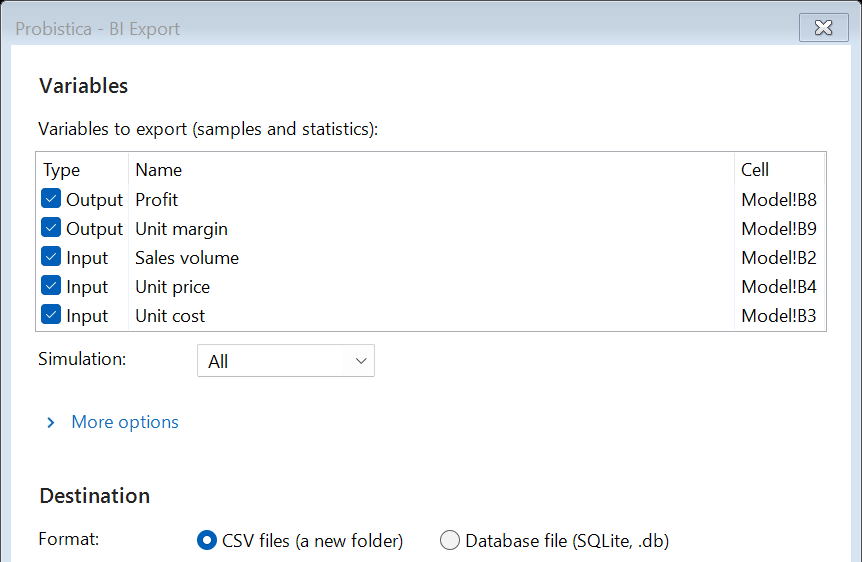
The top part of the BI Export window with five variables and the choice of CSV files or a SQLite database file.
BI Export (top part of the window).
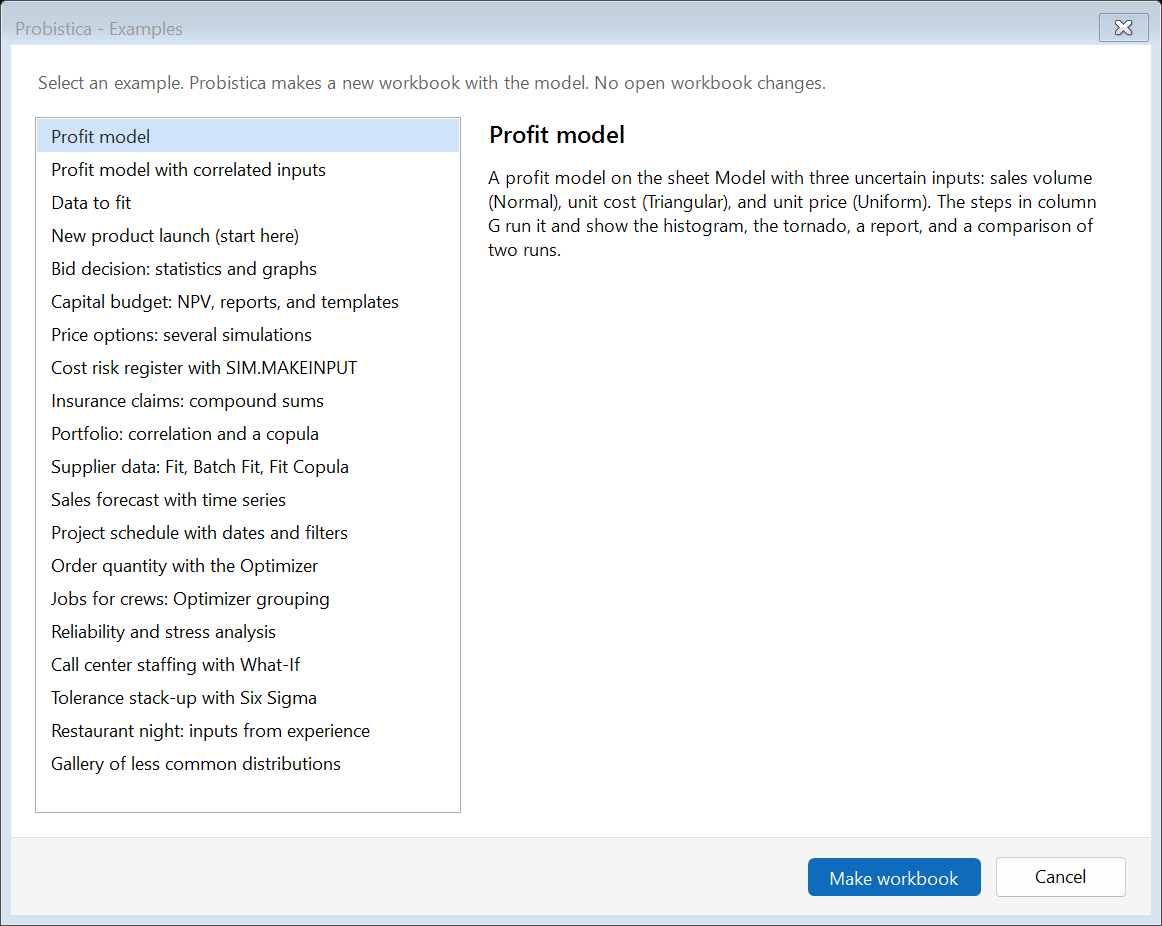
The Examples window with a list of 20 example models and the description of the profit model.
Examples: 20 models with steps on the sheet.
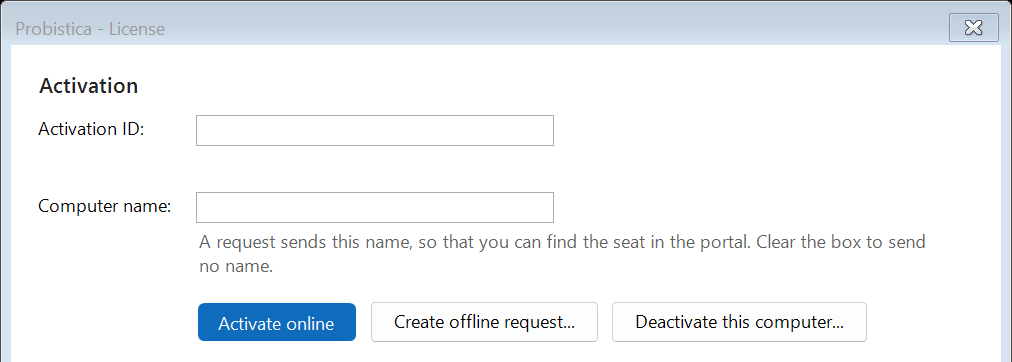
The top part of the License window with the Activation ID box, the Computer name box, and the buttons Activate online, Create offline request, and Deactivate this computer.
The License window (top part).
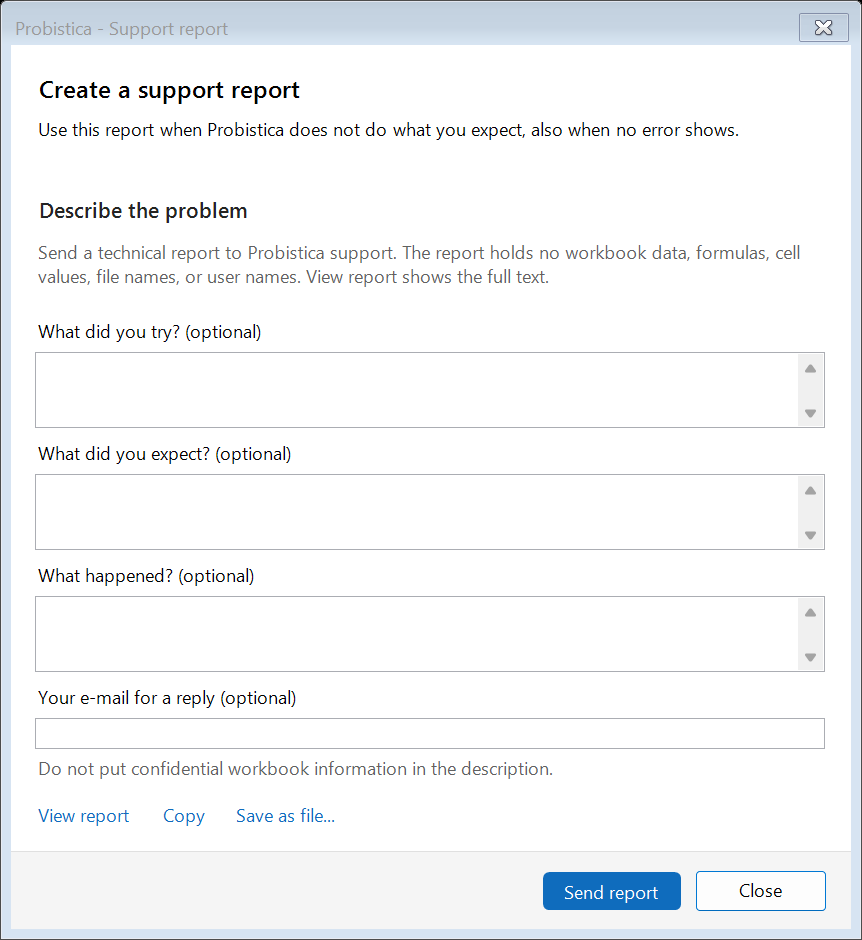
The Create a support report window with optional description boxes, privacy statement, and View report, Copy, Save as file, Send report, and Close buttons.
Support report: inspect every line with View report before sending.

An Excel results sheet

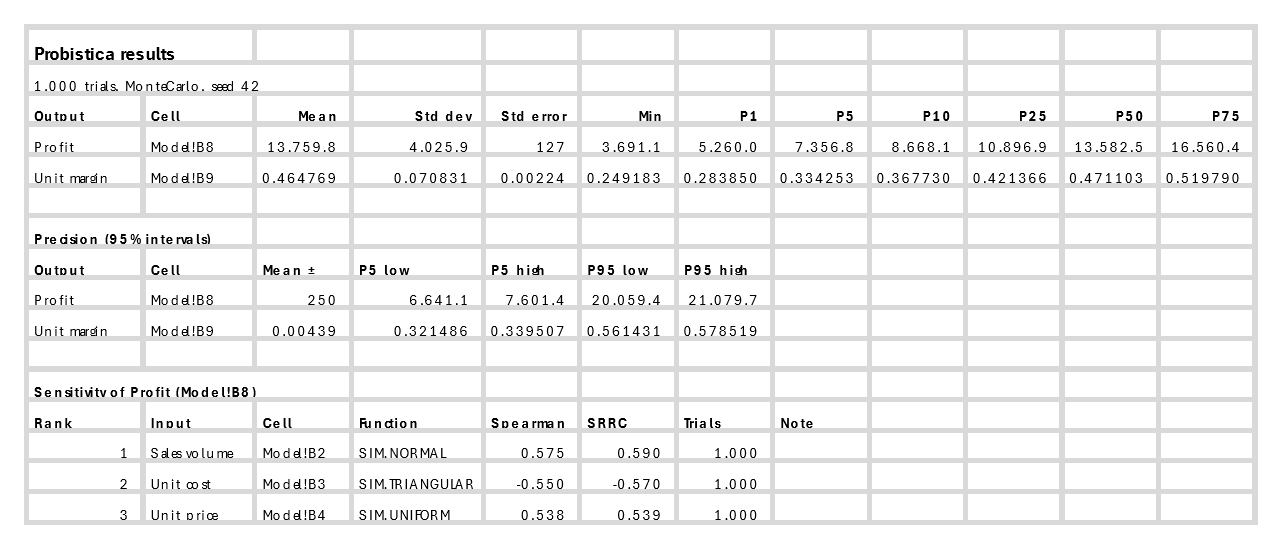
The top range of the Excel sheet Probistica Results 1 for the profit model (1,000 Monte Carlo trials, seed 42), showing summary statistics for Profit and Unit margin, 95 percent precision intervals, and Spearman and SRRC sensitivity rankings.
Top range of Probistica Results 1 exported from Excel: output summary, 95% precision intervals, and sensitivity rankings.

Some images show only the top part of a window. Crops removed the names of other products and local folder paths.