Features
Distribution fitting
Use your data to choose a distribution. Probistica fits the candidate families, ranks them, and writes the formula of your choice.
Fit one column of data
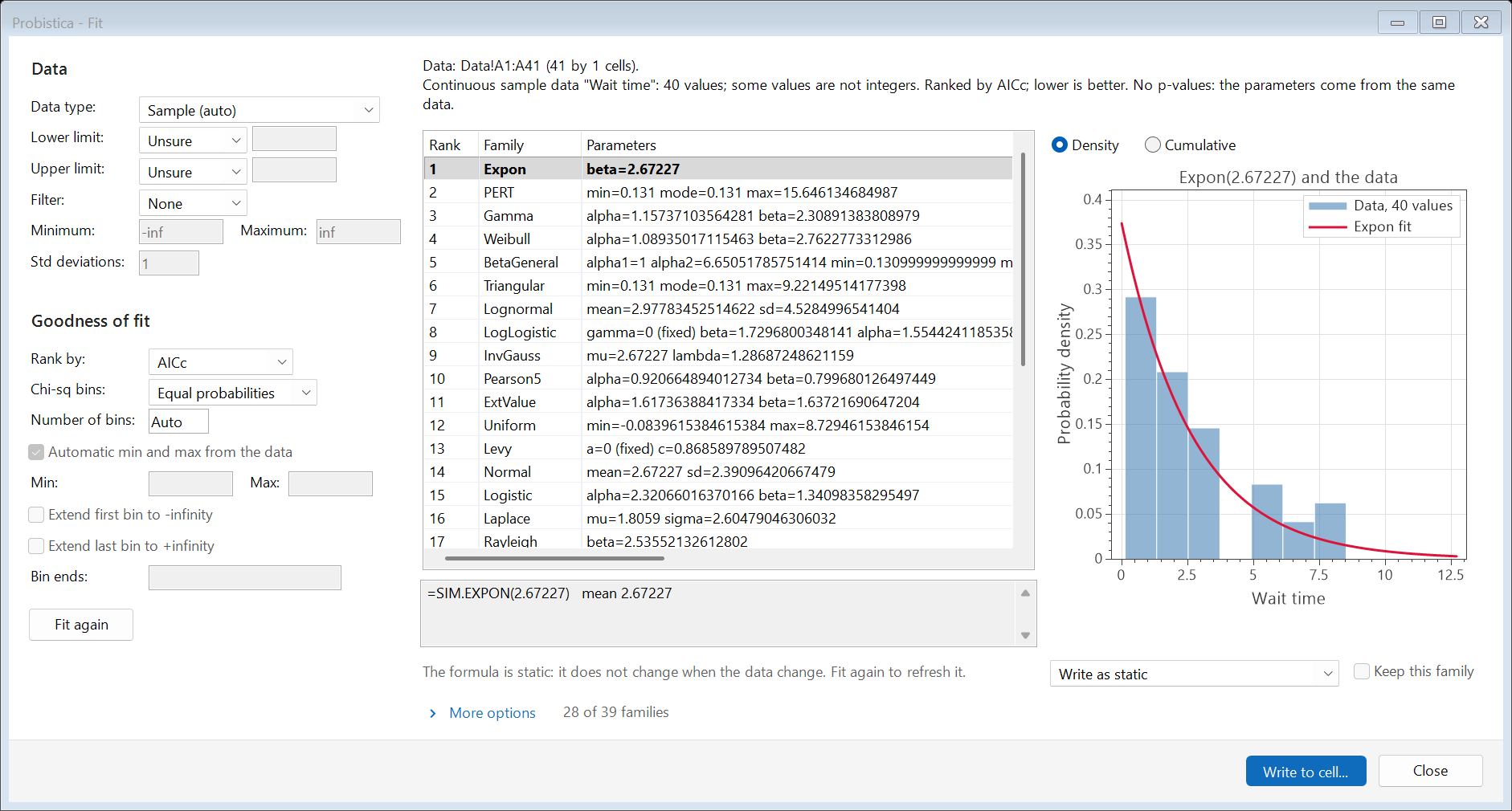
Select a column of numbers and click Fit. Probistica fits the recommended families and ranks them by AICc. You can also rank by other statistics, set limits, and fix parameters.
- Compare each fit with the data as a density or as a cumulative curve.
- Write the fit to a cell as a static, linked, or live formula.
- Parametric bootstrap is in the More options section.
- The worksheet function
SIM.FITDISTRIBUTIONfits in a cell.
Batch Fit
Fit many columns at one time. Probistica adds a summary sheet and a detail sheet for each data set. The summary can also give the rank correlation matrix of the data sets.
Fit Copula
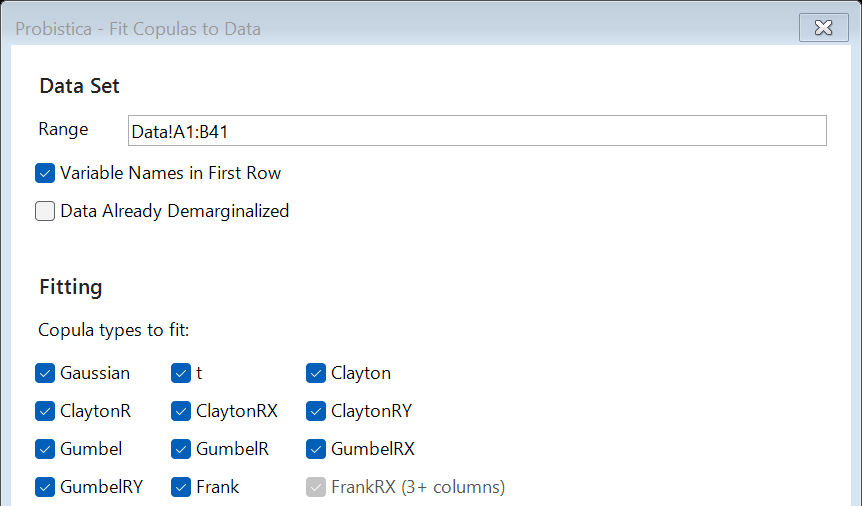
Fit a copula to two or more columns of data and use it to link the inputs.
Fit Manager
See all fits of a workbook. Refresh linked fits after the data change.
Copulas from data
Choose the copula types to fit: Gaussian, t, Clayton, Gumbel, Frank, and their rotated forms. Choose maximum likelihood or Kendall's tau inversion for large data sets.