
Features
Reports and BI export
Give the results to the people who decide. Write reports to sheets or PDF, or export the data to a BI tool.
Reports
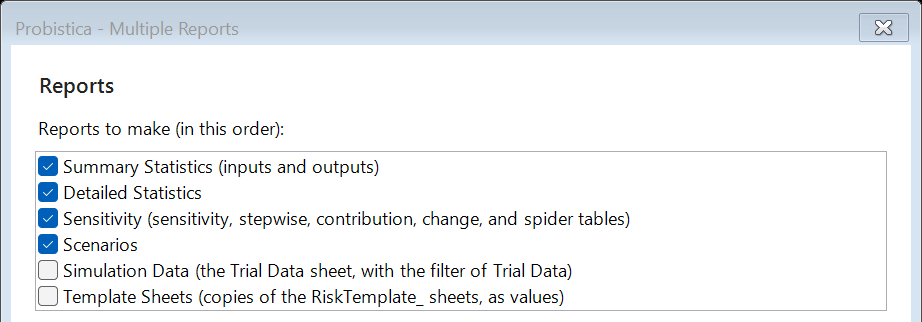
Report writes a report sheet after a run. Multiple Reports makes several reports at one time:
- Summary statistics of inputs and outputs, and detailed statistics.
- Sensitivity tables and scenarios.
- The trial data, with a filter.
- Copies of your own template sheets, with result functions and graphs.
Send the reports to the active workbook, a new workbook, or a PDF file. Probistica never overwrites a file.
Export to a BI tool
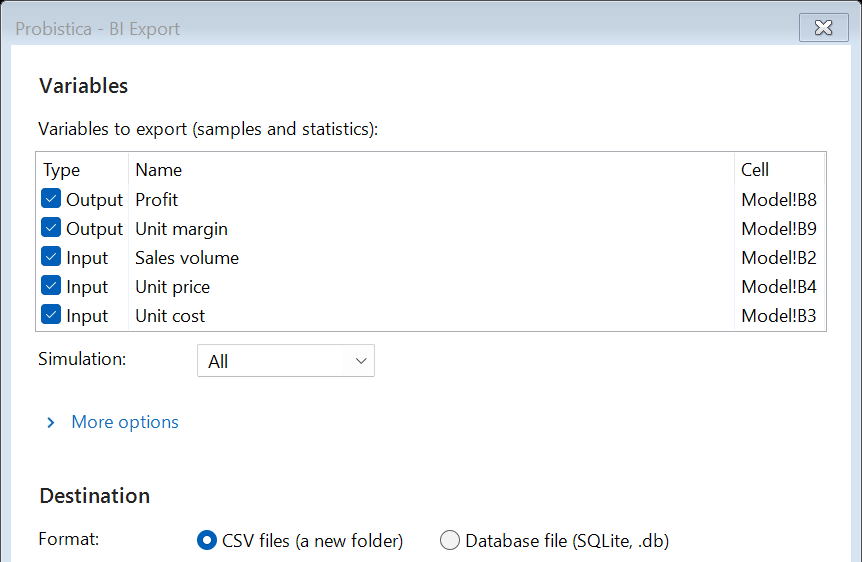
BI Export writes the samples, statistics, and sensitivity of the variables that you choose.
- CSV files in a new folder: runs, variables, samples, statistics, and sensitivity.
- Or one SQLite database file for an ODBC connection.
- Each export makes a new folder or file. Nothing goes to the internet.
Share the workbook
Swap Out and Swap In
Before you send a workbook to a person without Probistica, Swap Out replaces the SIM functions with their values. It does not change a cell with an array formula, and its message counts these cells. Swap In brings the functions back.
"Licensed to"
Results sheets and reports name the organization of the license in use, for example "Acme Corp, Trial site license". Only a run with an evaluation license shows "Evaluation copy". A free trial shows no such label.
Clear Results
Delete the Probistica sheets and the kept trial data of a workbook. Your model does not change.